

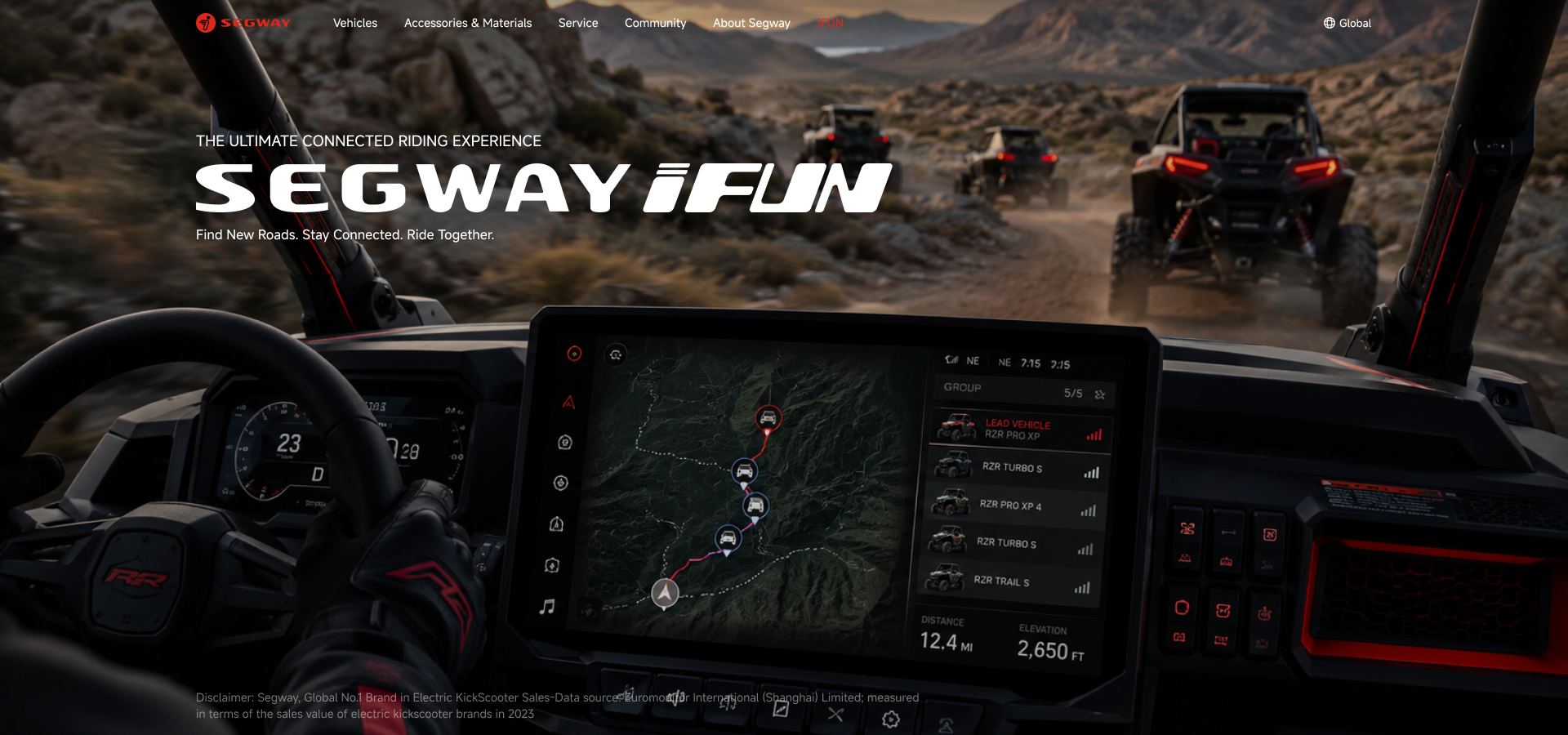
Portfolio / HMI · UX/UI Design
Segway iFUN
Connected Riding HMI
Designing the screens at the heart of Segway Powersports' off-road vehicles — instrument clusters, the center control display, and the connected ecosystem around them.
Overview
The interface between
rider and machine
Off-road vehicles are driven with gloves on, at speed, in dust and glare. Every screen in this project — the SSV and ATV instrument clusters and the center control display — was designed around that reality: instant legibility, mode-driven color, and controls sized for the trail.
Together they form Segway iFUN, the connected riding ecosystem that links vehicle, display, and mobile app — completed by the official iFUN page on the Segway Powersports website.
HMI Screen Design
Instrument clusters and center control display screens for the SSV and ATV lineup.
Interaction & State System
Drive-mode theming, warning popups, EPS states — every screen state mapped and specified.
HMI Design Language
Mode color system, custom numerals, iconography, and control components shared across displays.
Web & Mobile Touchpoints
The iFUN brand page for the official website, designed for PC and mobile.
Part 01 — In-Vehicle HMI
The screens inside
the vehicle
Three interfaces, one design language — the SSV instrument cluster, the SSV center control display, and the ATV instrument cluster.
01 — SSV Instrument Cluster
Glanceable at full throttle
The SSV cluster puts speed, gear, and drive mode at the center of a wide-format display. Color theming follows the selected drive mode — red for Sport, blue for Normal, amber for Rock — so riders read the vehicle's state before reading a single number.
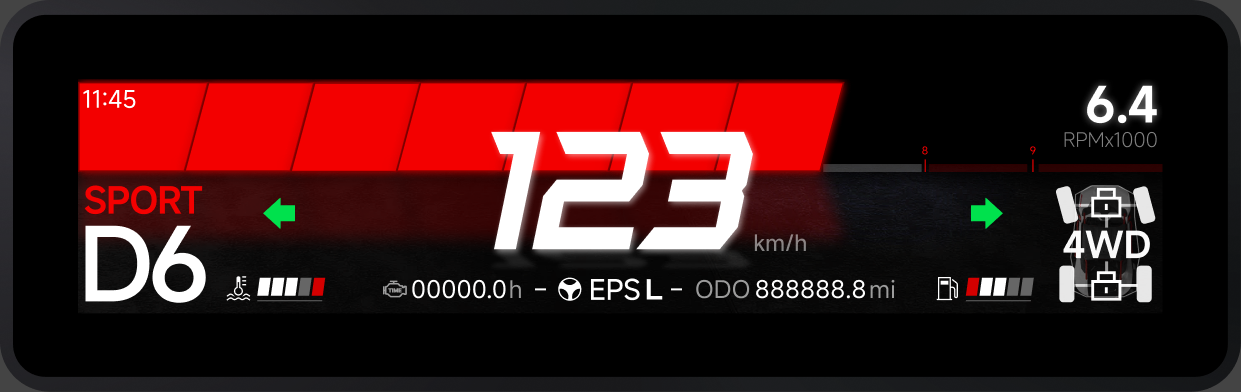
Full info layout Speed, gear, drive mode, telltales, and trip data
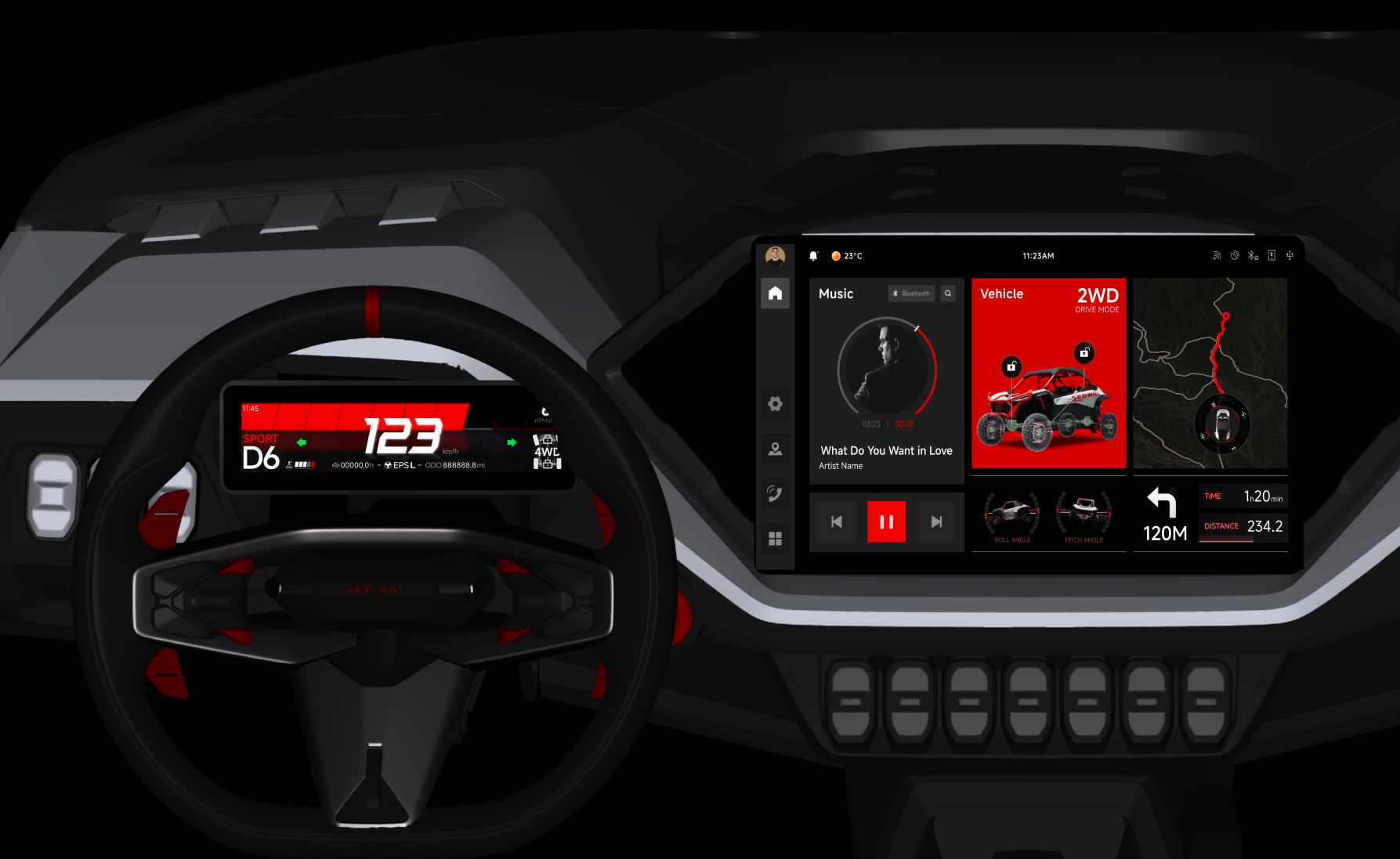
In context Cluster and center display in the SSV cockpit
Mode-Driven Theming
Sport, Normal, and Rock modes each carry a distinct color identity across the entire cluster.
Popup & Alert System
Layered warning popups — seatbelt, engine temperature, vehicle lock, EPS states — designed for instant recognition.
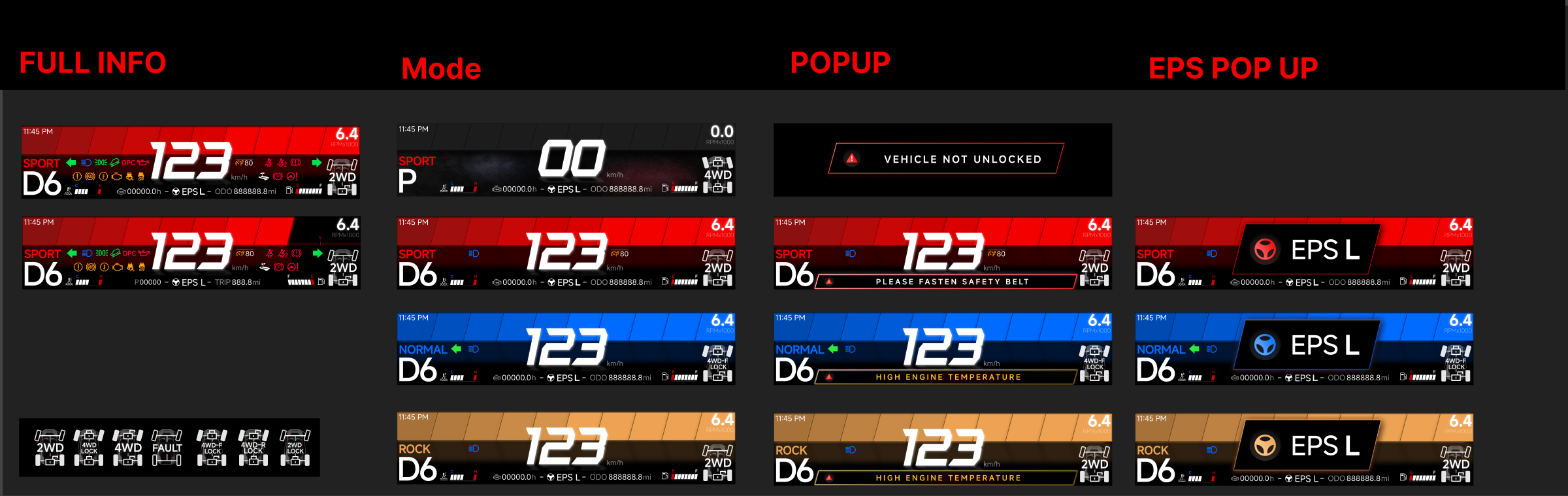
State system Full info · drive modes · popups · EPS states
02 — HMI Design Language
One language,
every display
Underneath the screens sits a shared system: mode color ramps, a custom high-legibility numeral set, telltale iconography, and control components — built so every gauge, button, and warning reads the same way across cluster and control center.
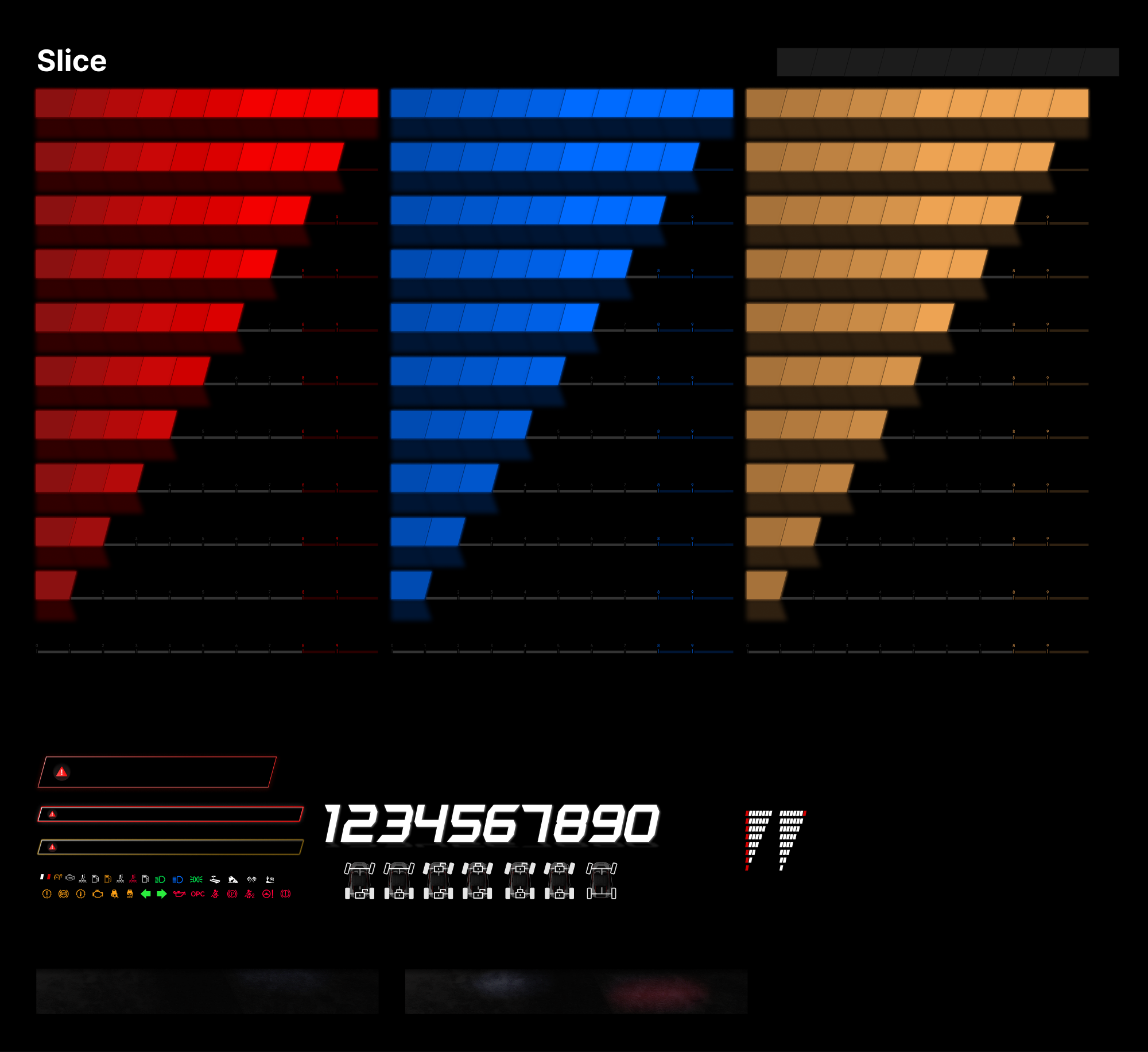
UI kit Mode color ramps · custom numerals · telltale icons · components
03 — SSV Control Center
Command the ride
from one display
The center display brings infotainment and vehicle control together — media, realtime vehicle data, trail navigation, system settings, and a vehicular radio station for group communication.
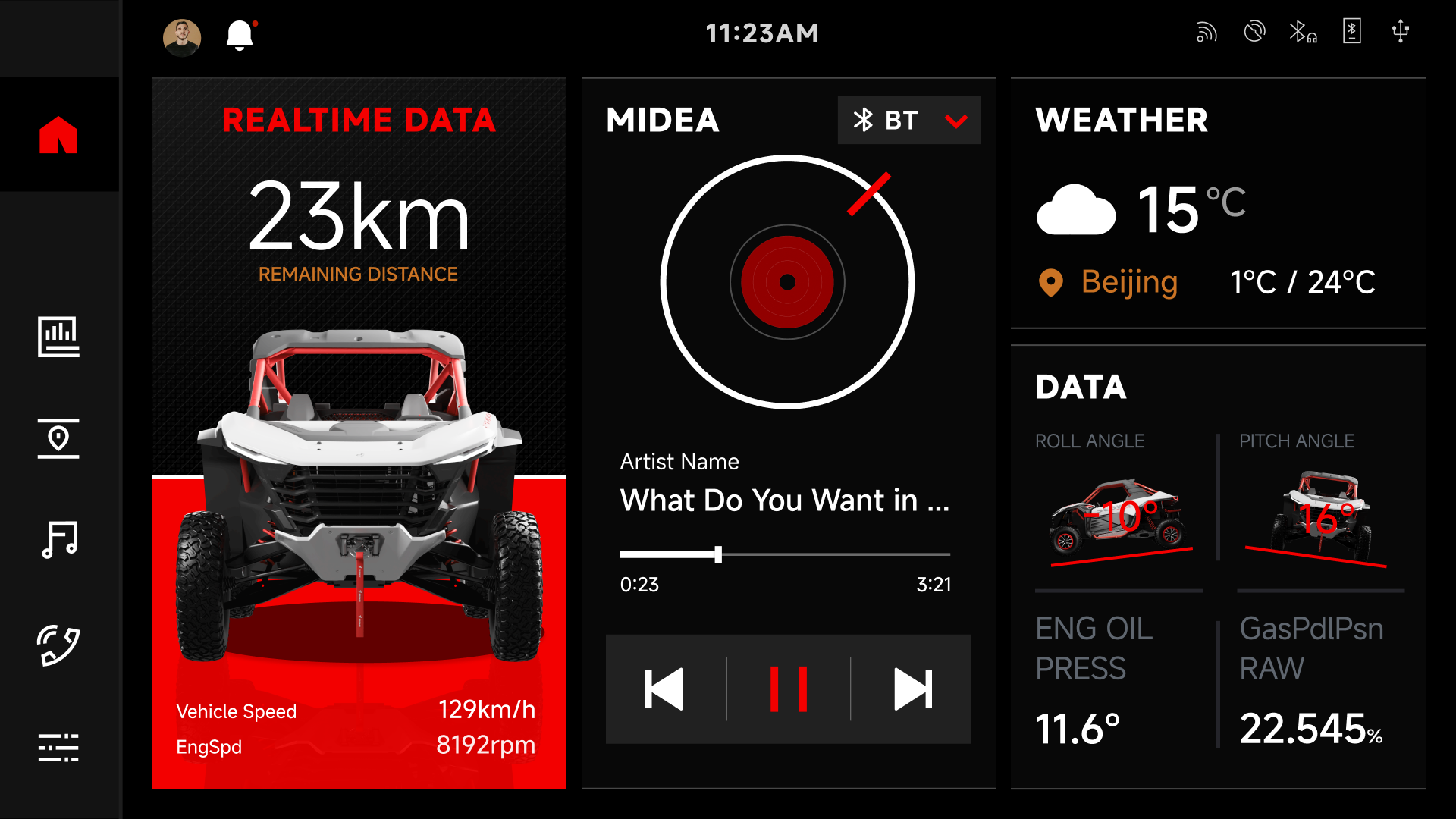
Home Music, realtime data, and navigation in one view
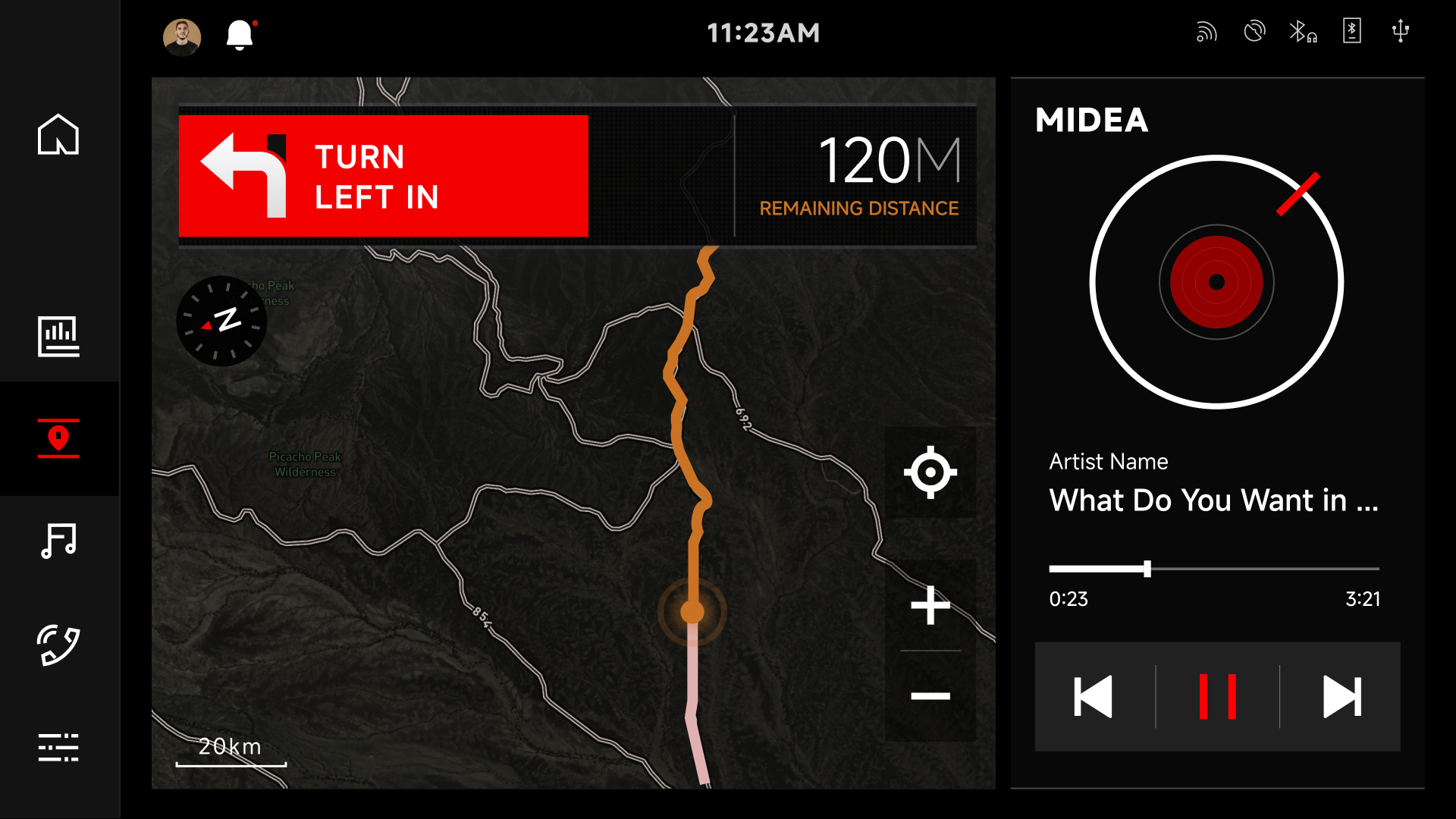
Map Trail navigation with turn-by-turn guidance

Style 1 Full screen set

Style 2 Sidebar-driven layout
04 — ATV Instrument Cluster
Built for the elements
The ATV cluster works within a segment-style display — high contrast, bold numerals, and dedicated layouts per riding mode: Full Screen, Sports, Comfort, and a neutral no-mode state.

Mode layouts Full Screen · Sports · Comfort · No Mode
Part 02 — Web Experience
Telling the iFUN story
on segway.com
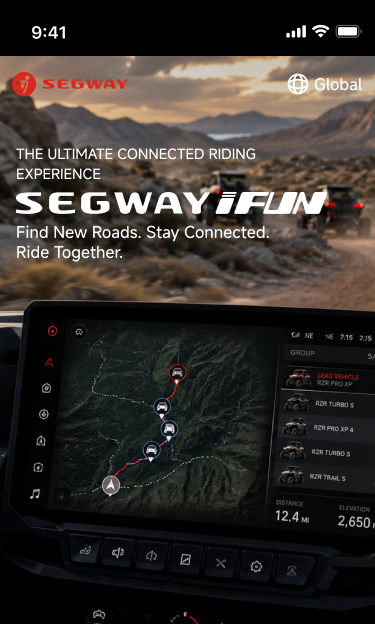
The official iFUN page introduces the ecosystem to riders — what connected riding means, how iFUN Link pairs phone, display, and vehicle, and how to get set up. Designed for PC and mobile within the Segway Powersports design system.
05 — iFUN on the Web
From dashboard
to pocket
The page is structured around riding scenarios rather than specs — group connectivity, trail navigation, ride planning, and sharing — closing with a three-step onboarding flow into the mobile app.
Stay Connected
Keep every rider in the group visible — even off the grid.
Go Where the Trail Leads
Trail navigation built for terrain, not streets.
Plan Ahead
Route planning and waypoints before the ride starts.
Share Your Adventure
Capture and share rides with the community.
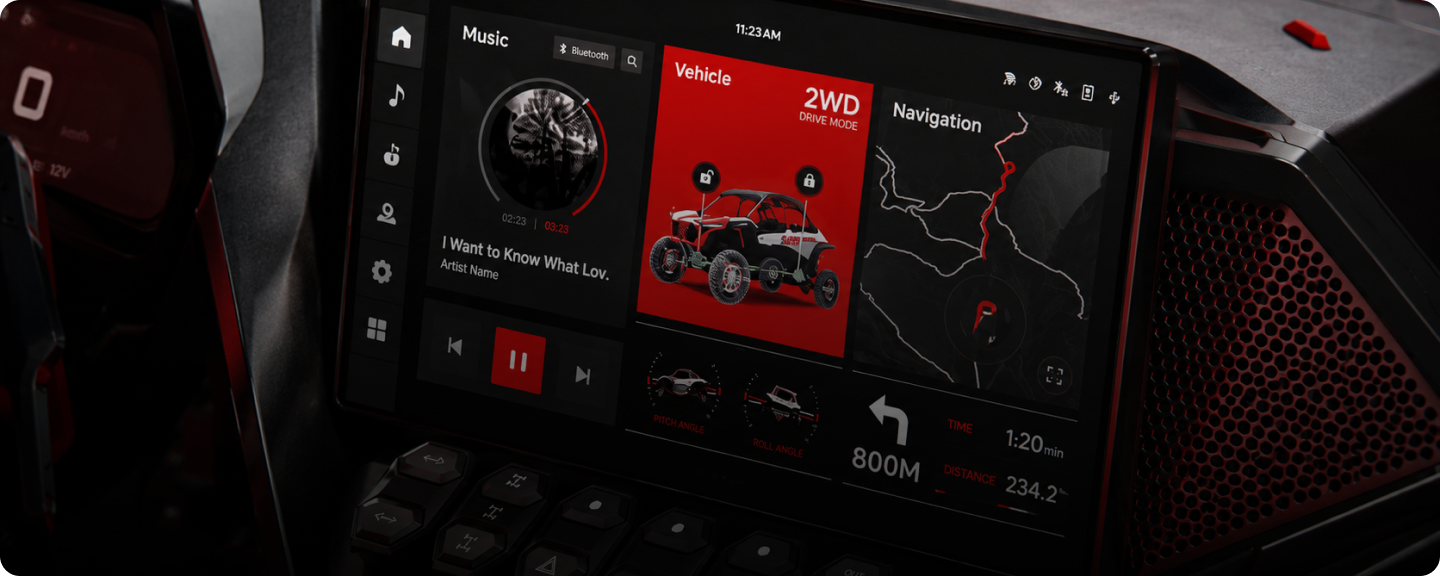
Key visual The Smart Display System at the center of the ecosystem story
Designed for
every screen
Every module was designed twice — a 1920px PC layout and a 375px mobile layout. Cards collapse into swipeable stacks, tabs become accordions, and the onboarding flow reflows into a single column without losing hierarchy.
Outcome
Delivered & production-ready
Final delivery covers the complete HMI screen set with every state specified, a shared design language across displays, and the brand page for both web breakpoints — fully componentized and ready for implementation.